Frequently Asked Questions
Practice Software Compatibility – key questions answered clearly.
Can the autoclave be connected to my practice software?
Yes. The Premium autoclaves in particular can be connected to common practice and documentation software via LAN, Wi-Fi or a serial interface. Our IT experts handle the setup mostly remotely for you. Simply tell us which program you use.
Which practice software is compatible?
We have tested numerous dentist, dental, physician and practice systems as well as sterile-goods and hygiene documentation software. Because our solution is based on a standardised folder system, many additional programs usually work without any problems too. If your system is not listed, we are happy to check compatibility for you.
How exactly does the software integration work?
The integration is done in four steps: device setup and connection to the router (LAN/Wi-Fi), installation on the PC, device settings and finally full automation. Our IT experts handle most of it remotely; only the setup itself is done on site.
Do I need technical knowledge for the software integration?
No. Our IT experts handle most of the setup remotely, such as the installation and configuration on the PC as well as the device settings together with you over the phone. All you need to do is set up the hardware and connect it to the router.
Is the setup really carried out remotely?
Yes, we handle most of it conveniently from a distance. The installation on the PC is done remotely via remote-maintenance software, and we configure the device settings together over the phone. Only the actual device setup happens on site.
What happens automatically after a sterilisation cycle is completed?
As soon as sterilisation is complete, the record is created automatically and lands instantly in a folder on your Windows PC. This folder is linked to your practice software, so the record is directly viewable - completely without any manual transfer.
What is SteriTrace?
SteriTrace is our solution for paperless, RKI-compliant documentation. With it you document every batch automatically and integrate the records directly into your existing practice software - without any handwritten transcription.
What is ClavioSoft?
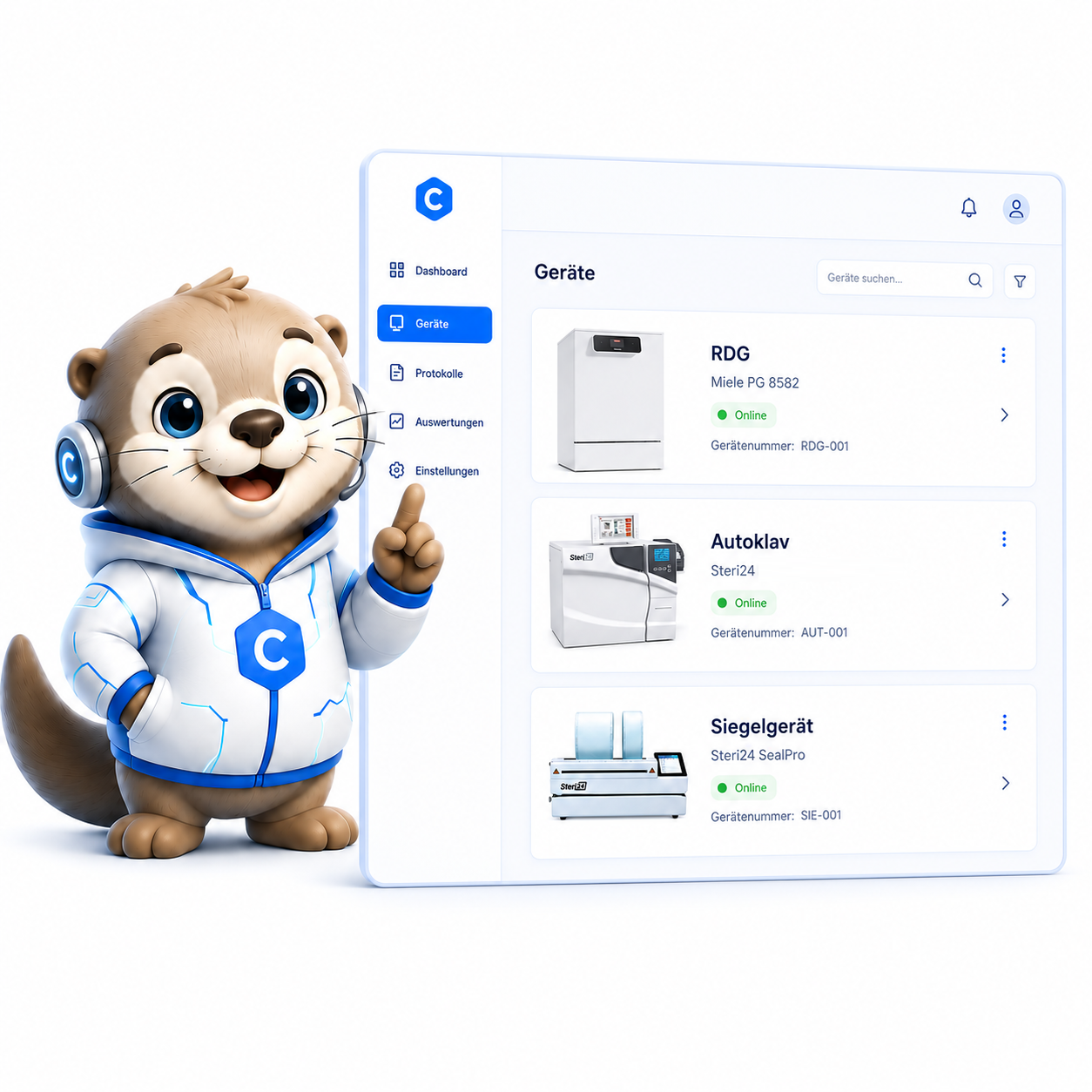
ClavioSoft is our software for fully automatic, RKI-compliant documentation of instrument reprocessing. It is manufacturer-independent, can be connected to over 200 devices and is optimised for hygiene audits.
Does ClavioSoft cost anything?
ClavioSoft is currently offered as a free download. You will find the exact conditions and the download link on the page; if you have questions about the setup, we are happy to advise you.
Does ClavioSoft also work with devices from other providers?
Yes. Because ClavioSoft works manufacturer-independently, the software can be connected to over 200 devices from various providers and documents their reprocessing in an RKI-compliant manner.
How does the documentation of the sterilisation cycles work?
With the Premium autoclave, all cycles are stored internally and automatically and can be transferred via SD card/USB stick as well as over Wi-Fi/LAN. With the Pro devices, the backup is done via a USB stick inserted into the interface box. The saving runs fully automatically without pressing a button.
Where are the records stored?
The records can be stored internally and exported via USB stick, SD card as well as over Wi-Fi/LAN. With connected practice software, they additionally land automatically in a folder on the PC that is linked to your software.
Does the autoclave create the sterilisation records itself?
Yes, every autoclave automatically generates and stores the sterilisation records with date, program and parameters. These can be backed up on USB/memory card, transferred via LAN/Wi-Fi or printed out.
Do I need a printer for the documentation or can it be done paperlessly?
Both are possible. Many devices feature a record printer, but the records are saved automatically regardless. With SteriTrace or ClavioSoft you document completely paperlessly and RKI-compliant.
Is the documentation RKI-compliant?
Yes. SteriTrace and ClavioSoft document every batch completely and RKI-compliant and are optimised for hygiene audits. Handwritten documentation using our templates is also permitted.
How is batch release documented?
Batch release must be documented according to RKI - either by hand using the batch-release template or digitally with SteriTrace. Labels or barcodes are not mandatory; however, for critical instruments there is a batch-tracking and labelling obligation.
What must a documented batch release contain?
According to KRINKO/RKI, the verification and documentation of the process (batch-related routine checks and batch documentation) as well as the documented release decision are required. Who is authorised to grant release and in what form it is documented should be defined in your work instructions.
Can loading and release of a batch be carried out by different people?
Yes, that is permitted. What matters is that the people authorised to grant release are defined and that the release decision is documented. A digital solution such as SteriTrace makes person-related traceability easier.
Do I need an internet connection for the integration?
For ongoing documentation, a local network connection (LAN or Wi-Fi) between the autoclave and your PC is sufficient. For the initial setup carried out remotely by our IT experts, an internet connection is useful during the installation.
Is the Premium autoclave connected via LAN or Wi-Fi?
Both are possible. The Premium models offer LAN and Wi-Fi connection to the practice software as well as paperless batch release and documentation directly on the touchscreen via SteriTrace.
Do the Pro models also offer software integration?
The Pro devices document via integrated printer and USB stick. Full Wi-Fi/LAN connection to the practice software with paperless batch release directly on the touchscreen is offered above all by the Premium models. Which variant suits you is clarified by the configurator or a short consultation.
What is the difference between Pro and Premium when it comes to documentation?
Pro models document via integrated printer and USB as well as manual water filling. Premium models additionally offer a fixed water connection, Wi-Fi/LAN connection to the practice software as well as paperless batch release and documentation directly on the touchscreen with SteriTrace.
Can labels with a barcode be printed and scanned?
Yes, the labels are printed automatically or on demand and carry a barcode that is readable by any practice software or digital patient record. A barcode reader connected to the PC is used to scan them in.
How do I connect a label or record printer?
The printer is connected with the supplied RS232 cable and the power cable to the corresponding port on the interface box or the Premium autoclave. In SteriTrace you select the RS232 printer under settings.
What if my software is not on the list?
Because our solution is based on a standardised folder system, many unlisted practice and documentation systems usually work too. Get in touch - we are happy to check compatibility for you.
Is the integration suitable for dentist practice software?
Yes. We have tested numerous dentist and dental practice systems and confirmed them as compatible. Thanks to the standardised folder system, many additional systems can be connected as well.
Does the integration also work with general physician and practice software?
Yes. In addition to dental software, we have also tested numerous physician and practice systems. Tell us your program and we will confirm compatibility or check it for you.
Can the autoclave be connected to separate hygiene documentation software?
Yes. We have tested several sterile-goods and hygiene documentation programs, and our own ClavioSoft is available. Additional systems can also be integrated via the standard folder system.
Is integration with my veterinary practice software possible?
Often yes - common programs can be connected via LAN/Wi-Fi or the serial interface. Since we are continually testing additional systems, it is best to tell us your software and we will clarify compatibility.
How long must sterilisation and release records be retained?
The retention periods follow the applicable requirements for the reprocessing of medical devices and are typically in the range of several years. Digital documentation considerably simplifies audit-proof archiving; please clarify the exact periods for your country and your facility.
Does software integration help with hygiene audits?
Yes. ClavioSoft and SteriTrace are optimised for hygiene audits and provide the batch documentation completely and traceably. This means all records can be found quickly in the event of an inspection.
Can I back up records only via USB without practice software?
Yes. The records can be backed up at any time to a USB stick (preferably empty, max. 16 GB, FAT-formatted) and are stored as text files. Software integration is not strictly necessary for this.
In what format are the records stored?
The records are created as text files (txt) and saved automatically. Thanks to the standardised output format, common practice and documentation software can read in these files and assign them to the respective batch.
Do I have to transfer the records to the software manually?
No. With the integration set up, the record lands automatically in a folder linked to your practice software after each cycle. Manual transfer is eliminated entirely.
How secure is the digital documentation against data loss?
The records are saved automatically and can additionally be transferred via USB, SD card or the network into your software or your backup. This means the documentation is secured in multiple places.
Can the software also integrate several autoclaves?
Yes, in principle several devices can be integrated into the documentation, as ClavioSoft works across devices. We are happy to advise you individually on your specific setup.
Do I need the touchscreen for paperless documentation?
Paperless batch release and documentation directly on the display is offered above all by the Premium models with SteriTrace touchscreen. However, digital documentation via ClavioSoft also works across devices on the PC.
How can I tell from the record that sterilisation was successful?
The record shows the program, the temperature reached, pressure and holding time and notes whether the cycle was completed successfully. With connected software, this record is automatically assigned to the batch and is directly viewable.
What does setting up the software integration cost?
The integration is carried out mostly remotely by our IT experts and is part of our service. We are happy to give you the exact conditions for your setup in a non-binding quote.
Do I get support if the integration causes problems later on?
Yes. Support is included in the scope of services. Our IT experts also assist you remotely after the setup if adjustments or help are needed.
What happens if I switch my practice software later?
Because our documentation is based on a standardised folder system, it can usually be connected to new software too. Contact us if you switch - we will check compatibility and assist with the changeover.
Does the integration work across the firewall?
Yes. During the installation carried out remotely on the PC, our IT experts adjust the firewall settings accordingly so that the automatic record transfer works reliably.
Do you offer a template for the handwritten batch release?
Yes. We provide free templates for documentation and batch release, for example a handwritten batch-release form. Alternatively, you document digitally via SteriTrace.
Is labelling mandatory for critical instruments?
For critical instruments there is a batch-tracking and labelling obligation so that traceability is ensured. With a connected label printer and barcode, this can be implemented conveniently.
Can we store the documentation in the digital patient record?
Yes. The printed labels carry a barcode that can be scanned into any practice software or digital patient record. This makes it possible to assign the batch to the patient.
How does Steri24 differ from other providers when it comes to software integration?
Our devices offer modern network connectivity and connection to external software at fair prices, combined with a setup carried out mostly remotely by our own IT experts and a large service network in DE/AT/CH. This gives you the performance of established, expensive providers at a better price.
Do you also offer ongoing documentation of instrument reprocessing?
Yes. For ongoing documentation of reprocessing, our ClavioSoft is available, complemented by SteriTrace for paperless batch release. We are happy to advise you on the right solution for your workflow.
How do I find out which model I need for a software integration?
Full practice-software integration with paperless documentation is offered above all by the Premium models. The easiest way to clarify the right device and the integration is via our autoclave configurator or a short consultation.
Can we test or have the software integration demonstrated before purchase?
We are happy to explain the process in advance and show the functions, for example via a video or a consultation. Get in touch and we will find the right solution for your practice together.
Can an existing autoclave also be connected to the documentation software?
Often yes: ClavioSoft works manufacturer-independently and can integrate over 200 devices from various providers. Tell us your device and we will check compatibility for you.
.png "Preview: Clavio DokuSoft")


